Settings Reference
Every runtime, model, history, and shortcut option.
Settings are edited as an unsaved draft and written only when you press Save Changes. Each shortcut profile owns its own trigger, model, language, audio feedback, script, clipboard, and paste behavior.
Status
The Status page summarizes whether QuillSpeak can use the tools needed by the current desktop session. It is the fastest place to check why a shortcut, paste action, or speaker mute option is not ready.
| Status area | What it means |
|---|---|
| Advanced hotkeys | Shows whether app-owned X11 keyboard shortcuts are active or whether the session should use Linux signals or external trigger commands. |
| Output tools |
Shows missing clipboard or paste tools for the detected
display backend, such as xclip,
wl-copy, wl-paste,
xdotool, or ydotool.
|
| Audio mute tools |
Shows readiness for wpctl,
pw-dump, or the pactl fallback.
|
| Whisper compute | Shows which compute backends were compiled in and how the selected backend resolves at runtime. |
General
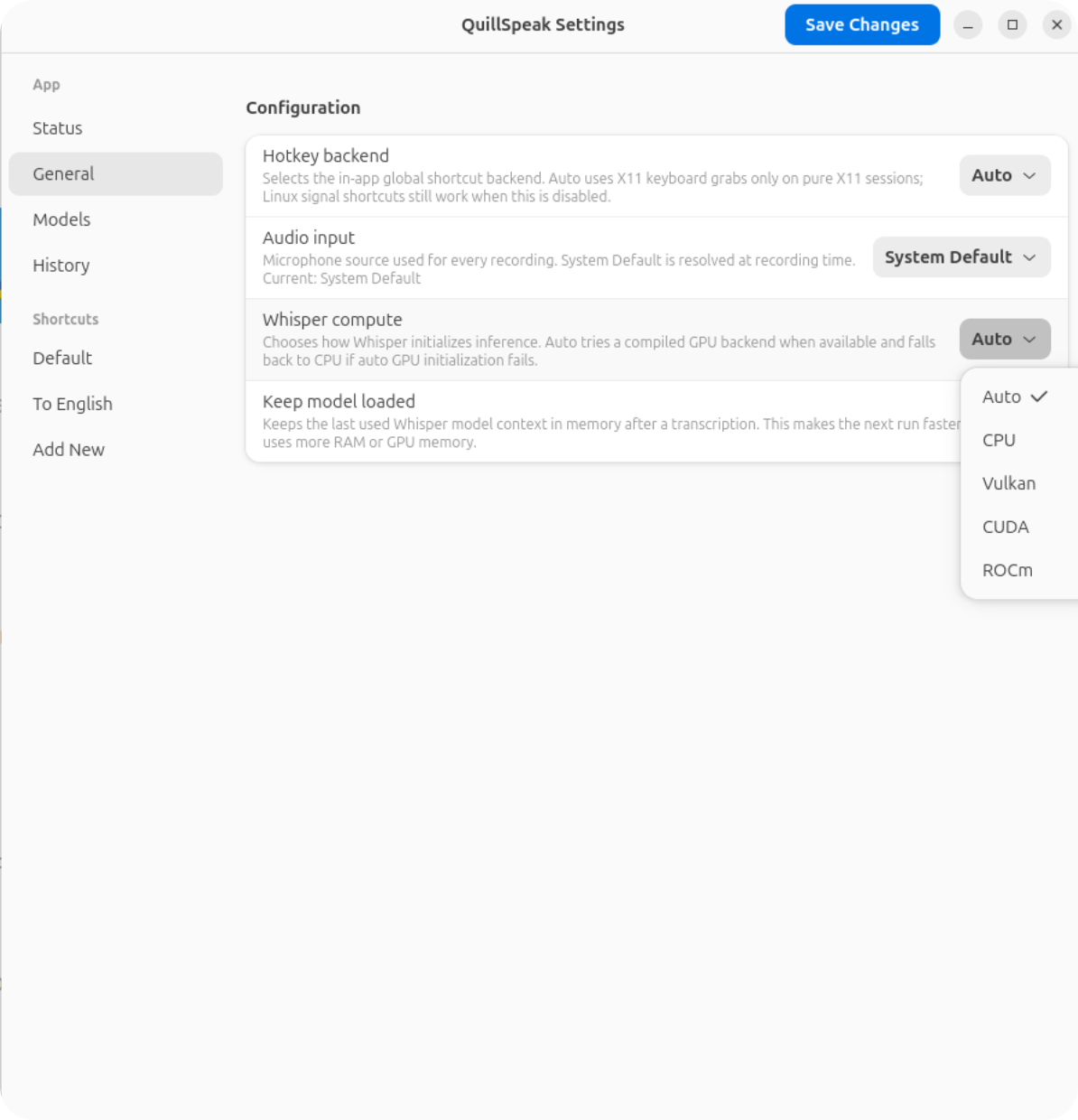
General settings apply to the app runtime. They do not provide inherited defaults for shortcut profiles; every shortcut still chooses its own model, language, and output pipeline.
| Setting | Values | Use |
|---|---|---|
| Hotkey backend | auto, disabled, x11 |
Controls app-owned global keyboard shortcuts. Auto uses X11 only on pure X11 sessions. Linux signal shortcuts and command-mode triggers still work when this is disabled. |
| Audio input | System Default or a discovered CPAL input device | The microphone source used for recordings. System Default resolves at recording time, so it follows desktop audio changes. |
| Whisper compute | auto, cpu, vulkan, cuda, rocm |
Selects how whisper.cpp initializes inference. Auto tries a compiled GPU backend when available and falls back to CPU if runtime GPU initialization fails. |
| Keep model loaded | On or off | Keeps the last used model context in the transcription worker after a run. This can make the next transcription faster, but uses more RAM or GPU memory. |
Models
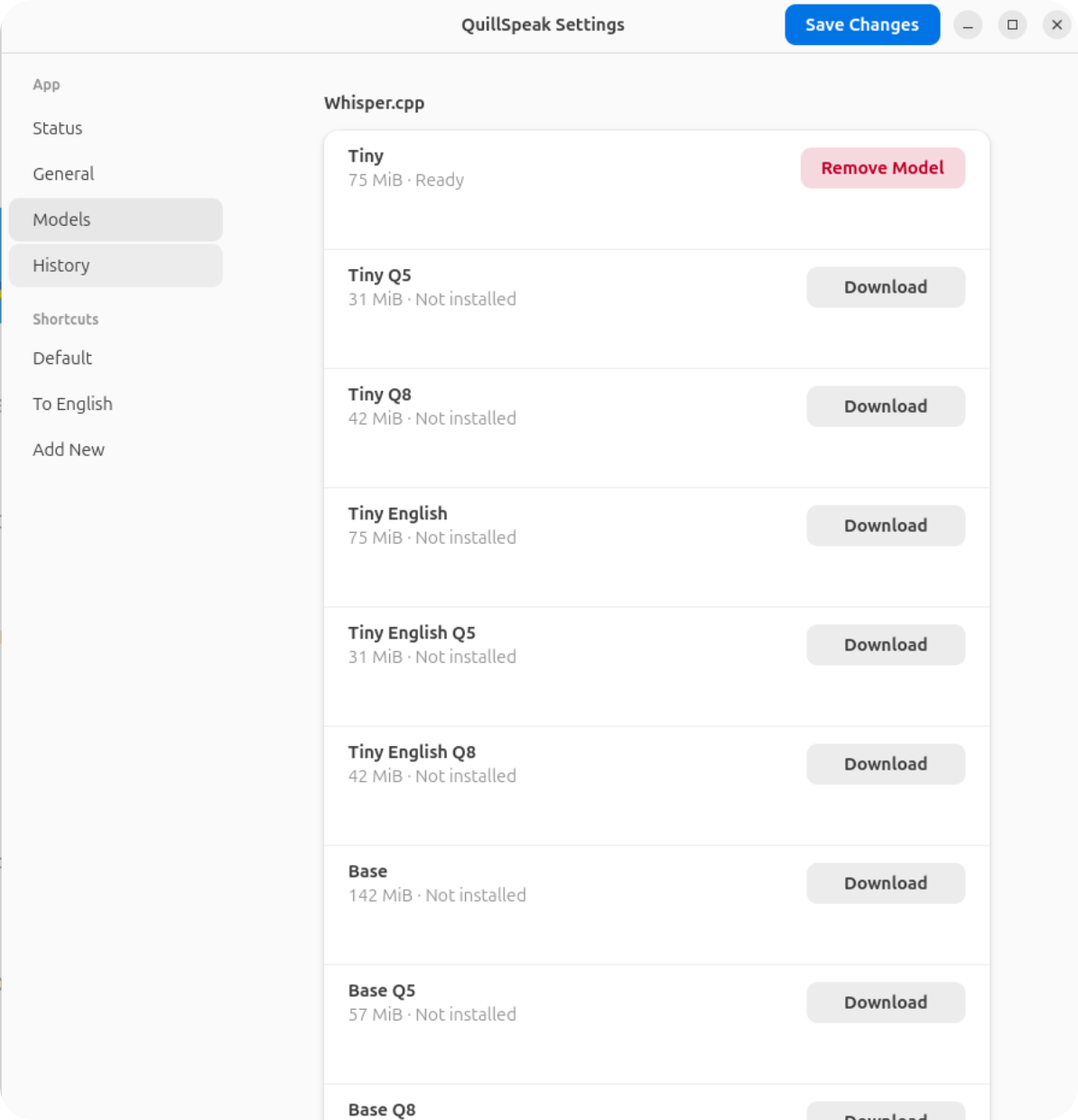
The Models page manages the local whisper.cpp model cache. A model becomes ready only after the download completes, the SHA-1 hash is verified, and the final file is renamed into place.
Model Rules
- Only ready models can be selected as normal shortcut choices.
- Removing a model asks for confirmation.
- A model referenced by a shortcut is not silently removed.
- Completed downloads update shortcut dropdowns without restarting the app.
- Catalog size labels are estimates; readiness is based on verified files.
History
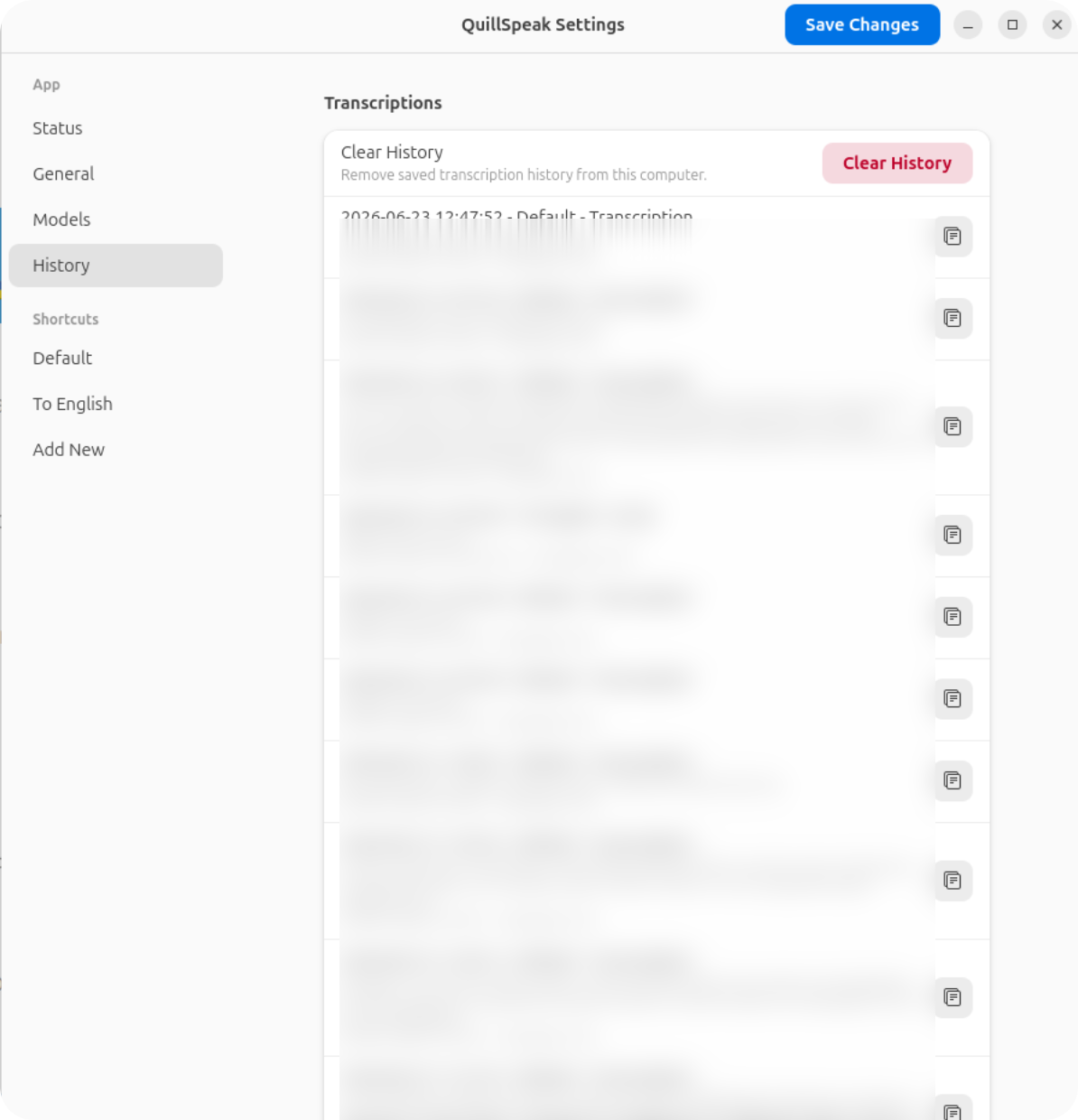
History stores completed transcription outputs locally. Rows show timestamp, shortcut name, output source, text, model, and language. The latest 1,000 entries are kept; older entries are automatically deleted, including existing history above this limit when the app starts. History loads when you open this page and shows 50 entries at a time. Use Newer and Older to move between pages. Each row copies its full text, and Clear History removes all saved entries from this computer.
Shortcut Profiles
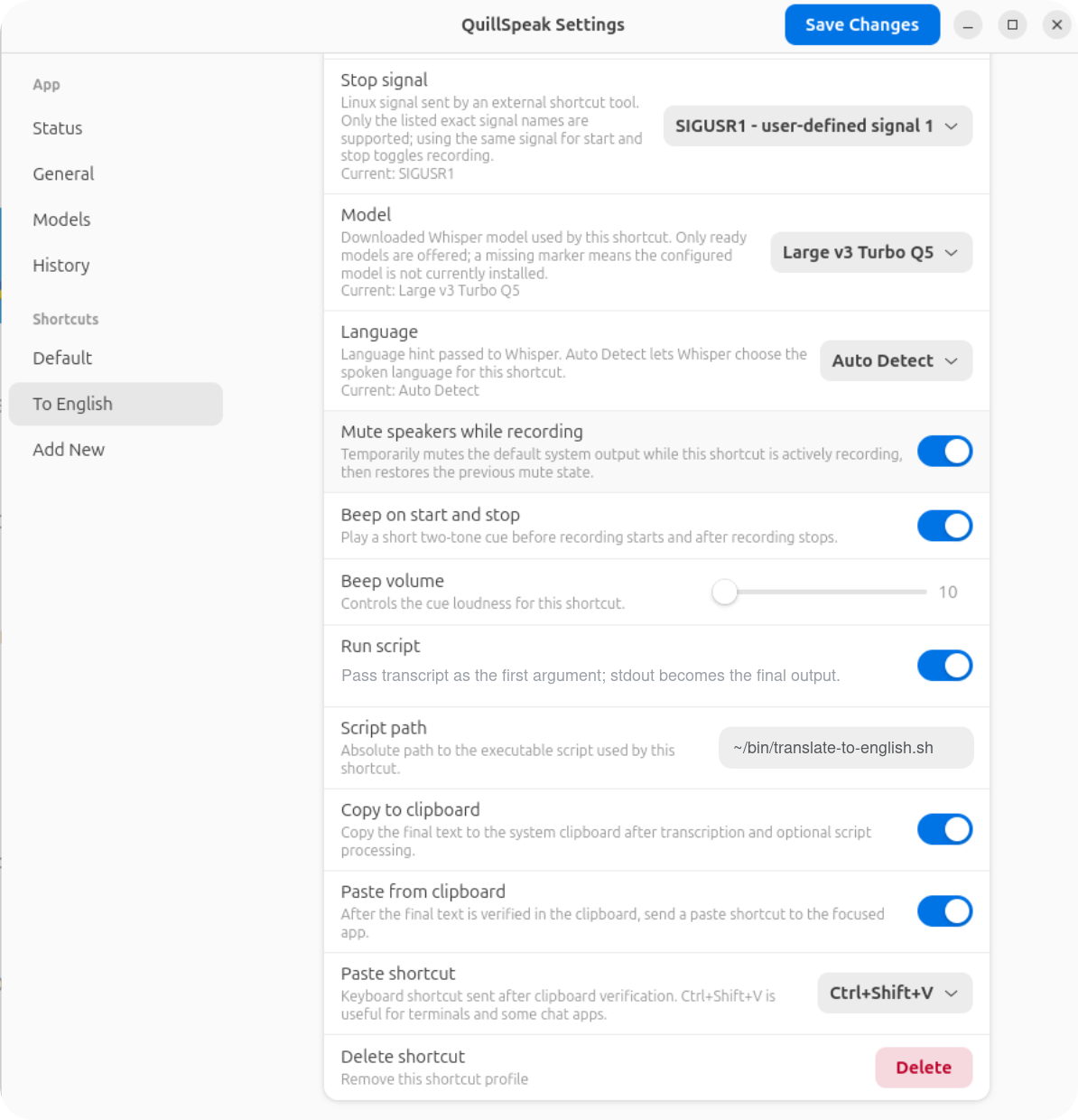
Shortcut profiles are independent. A profile can be a normal dictation shortcut, a translator shortcut, a terminal paste shortcut, or a no-output transcription profile for history only.
Core Shortcut Settings
| Setting | Use |
|---|---|
| Name | Human-readable display name. Trigger commands can select by exact id first, then exact unique name. |
| Enabled | Disabled profiles are ignored by keyboard, command-mode, and signal triggers. |
| Trigger | Keyboard on X11, or Linux signal on any Linux session. |
| Shortcut | X11 keyboard accelerator captured by QuillSpeak's passive-grab backend. |
| Start signal / Stop signal |
Linux signals sent by external tools. Supported values are
SIGUSR1, SIGUSR2,
SIGALRM, and SIGWINCH. The same
signal can be used for start and stop to toggle one active
recording.
|
| Model | Ready whisper.cpp model used by this shortcut. Missing configured models are shown as missing so you can fix them. |
| Language |
Language hint passed to Whisper. Auto Detect
lets whisper.cpp choose the spoken language while still
transcribing.
|
| Mute speakers while recording | Temporarily mutes system output during active recording, then restores the previous mute state. |
| Beep on start and stop | Plays a short local cue before recording starts and after recording stops. |
| Beep volume | Controls cue loudness for this shortcut. The config range is 10 to 100 percent. |
Output Settings
| Setting | Use |
|---|---|
| Run script | Runs an executable script after transcription. The transcript is passed as the first argument. If the script prints stdout, stdout becomes the final text. |
| Script path | Absolute path to the executable script used by this shortcut. |
| Copy to clipboard | Copies final text to the real system clipboard and verifies it through external readback. |
| Paste from clipboard | After clipboard verification, sends a paste shortcut to the focused app. |
| Paste shortcut | Ctrl+V, Ctrl+Shift+V, or Custom. |
| X11 xdotool keys | Custom xdotool key --clearmodifiers expression used when Custom paste is selected on X11. |
| Wayland ydotool keys | Custom ydotool key keycode sequence used when Custom paste is selected on Wayland. |
Config Schema
The current development schema is 16. QuillSpeak is
still a prototype, so old development schemas can be discarded and
replaced with current defaults.
schema_version = 16

[general]
mode = "push_to_talk"
hotkey_backend = "auto"
audio_input = { type = "system_default" }
compute_backend = "auto"
keep_model_loaded = true
User-facing config lives at
~/.config/quillspeak/config.toml.