Local Linux voice typing

Hold a trigger, speak, release, paste the result.

QuillSpeak is a Rust GTK4/libadwaita desktop app for local push-to-talk transcription with whisper.cpp models, a tray indicator, X11 hotkeys, Wayland-friendly trigger commands, scripts, clipboard output, and optional paste shortcuts.

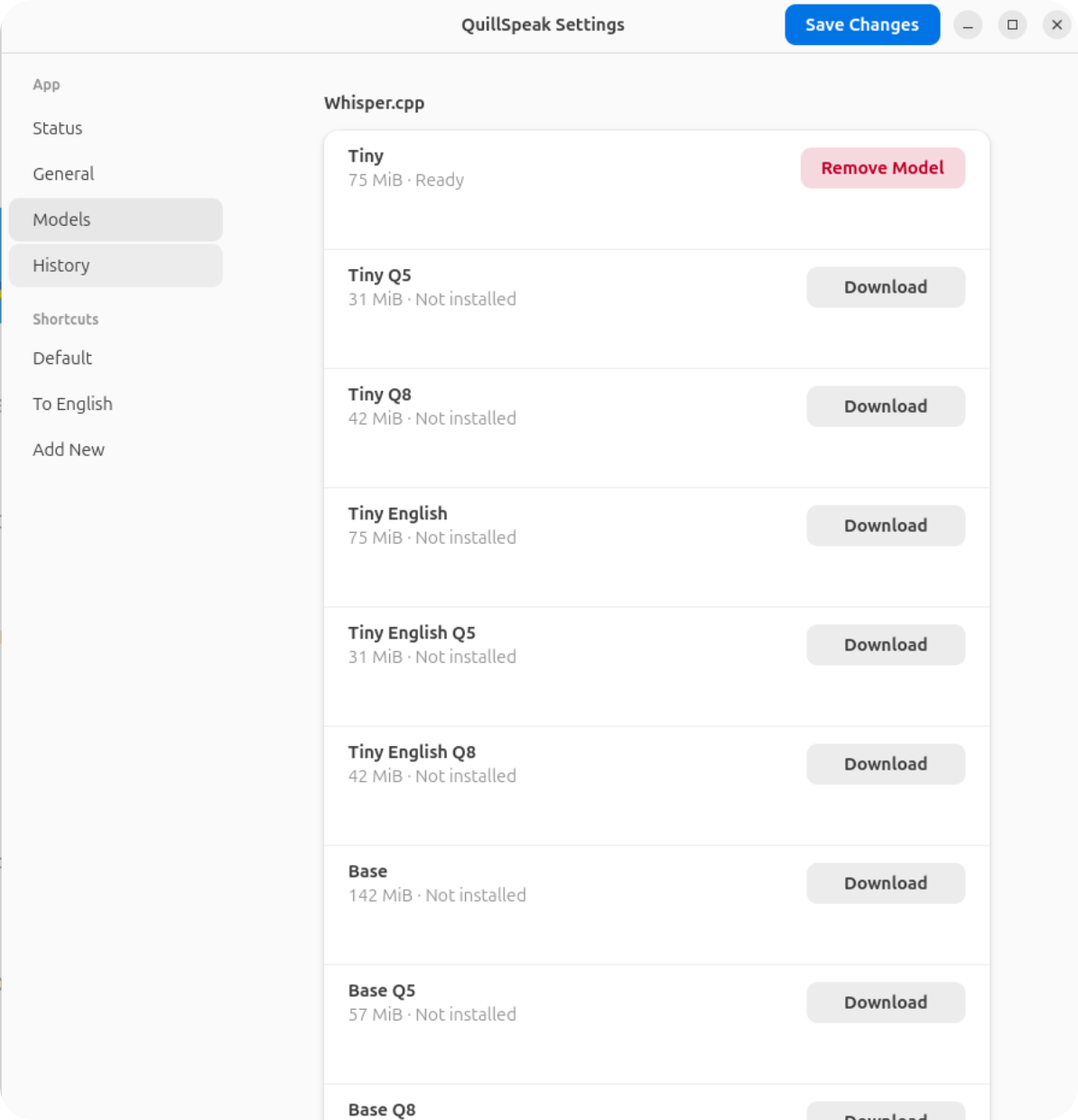
QuillSpeak model manager
Download a local whisper.cpp model, then assign it to any shortcut profile.

Recommended package

Debian and Ubuntu packages

GitHub Actions builds release packages in a Debian 12 container. The normal package uses Vulkan acceleration when available and falls back to CPU transcription. A CPU-only package is published for simpler systems.

Runtime clipboard, paste, and hotkey helpers stay outside the app. QuillSpeak reports missing tools in Settings instead of installing packages by itself.

Latest Release

Loading release information...

Quick Start

  1. Install the latest .deb from GitHub Releases.
  2. Start QuillSpeak with quillspeak.
  3. Open Show Settings from the tray indicator.
  4. Download a ready whisper.cpp model from the Models page.
  5. Choose a shortcut profile, trigger, model, language, and output action.
  6. Hold the trigger, speak, release, then copy or paste the final text.
Runtime Tools

Clipboard and paste output use external Linux tools so X11 and Wayland clients see the real system clipboard.

sudo apt install wl-clipboard xclip xdotool ydotool

Speaker mute during recording uses PipeWire tools when that option is enabled.

sudo apt install wireplumber pipewire-bin

Start here

Getting Started

Install packages, launch the app, download a model, and record your first phrase.

Reference

Settings

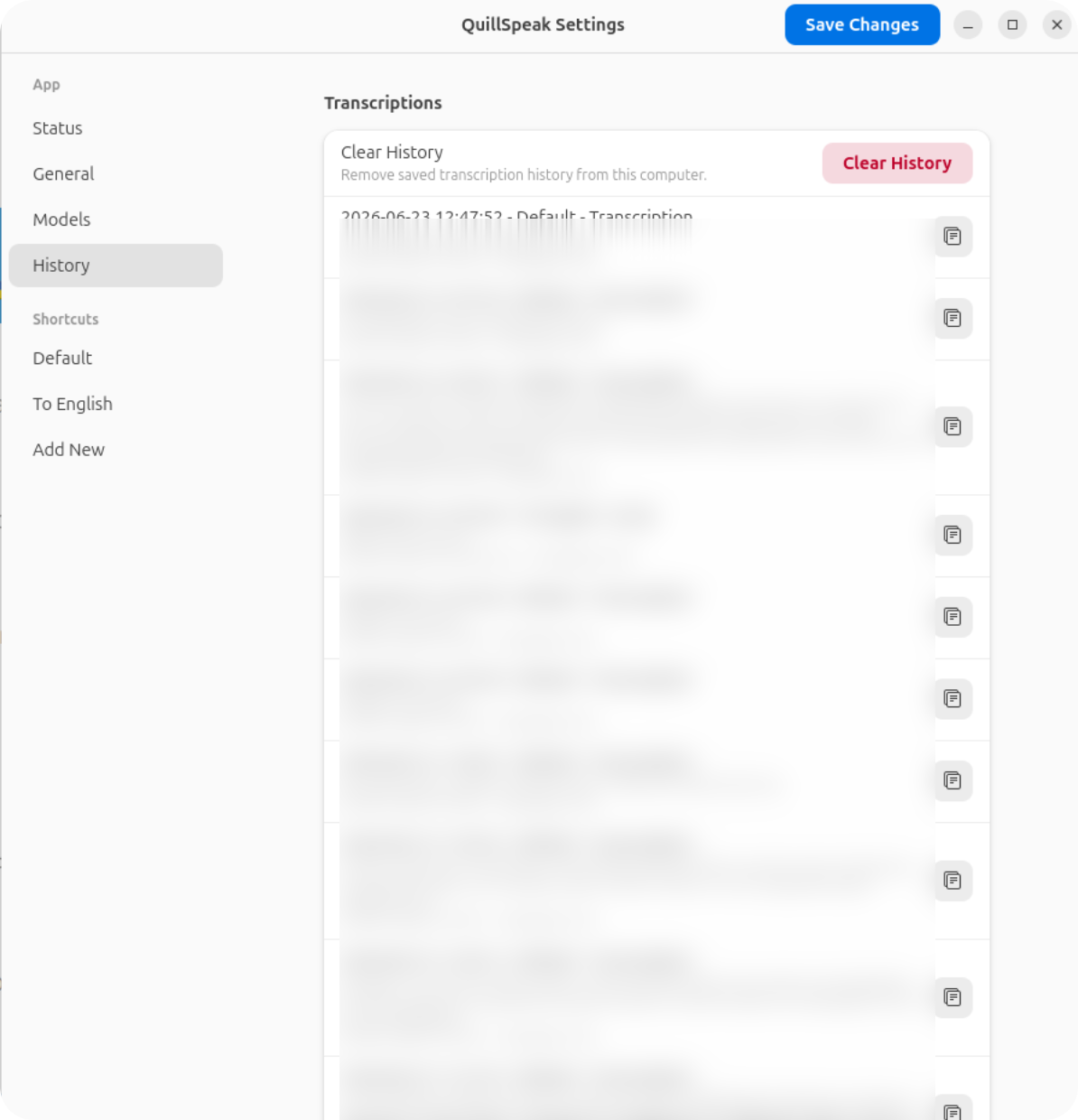
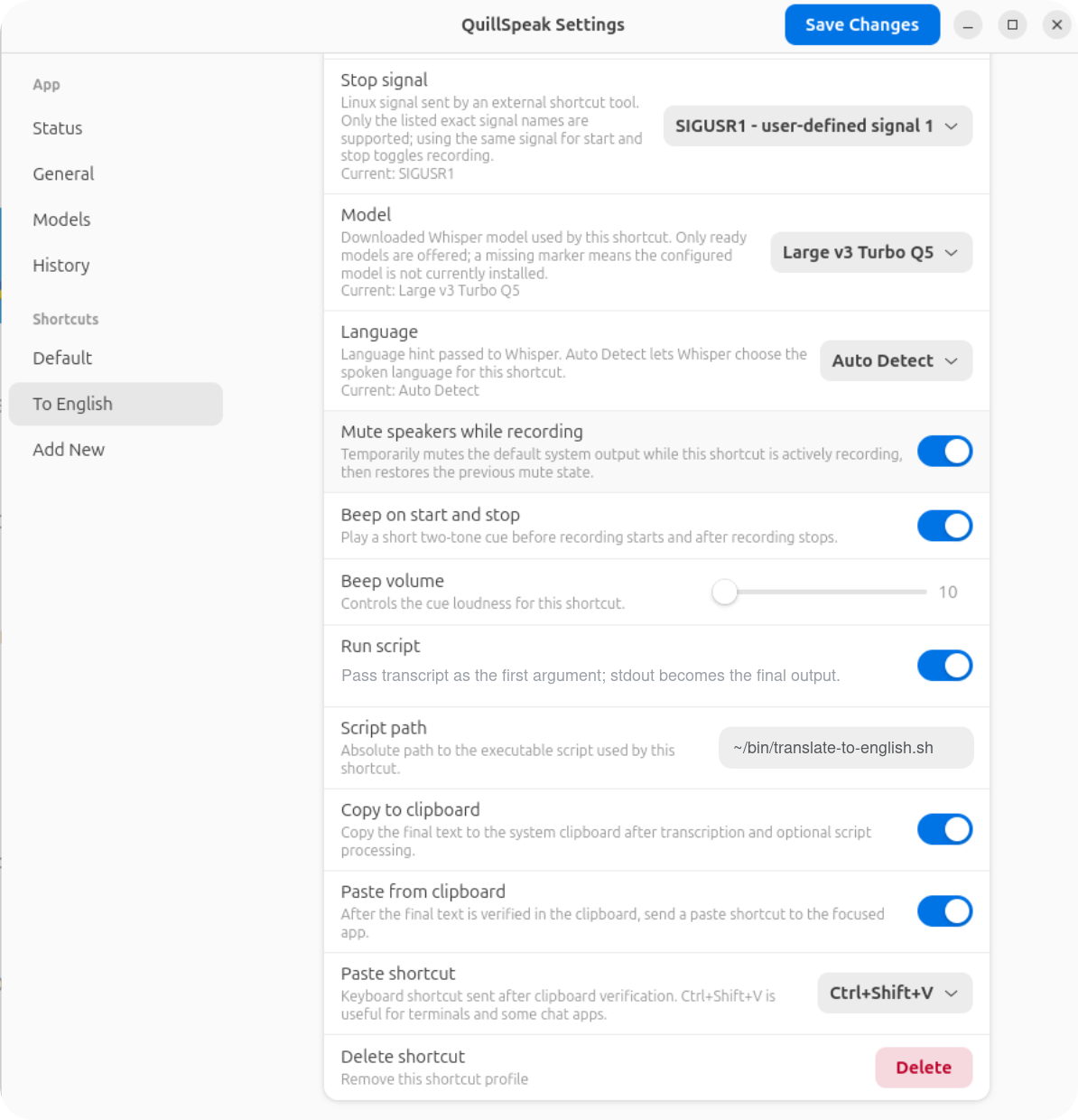
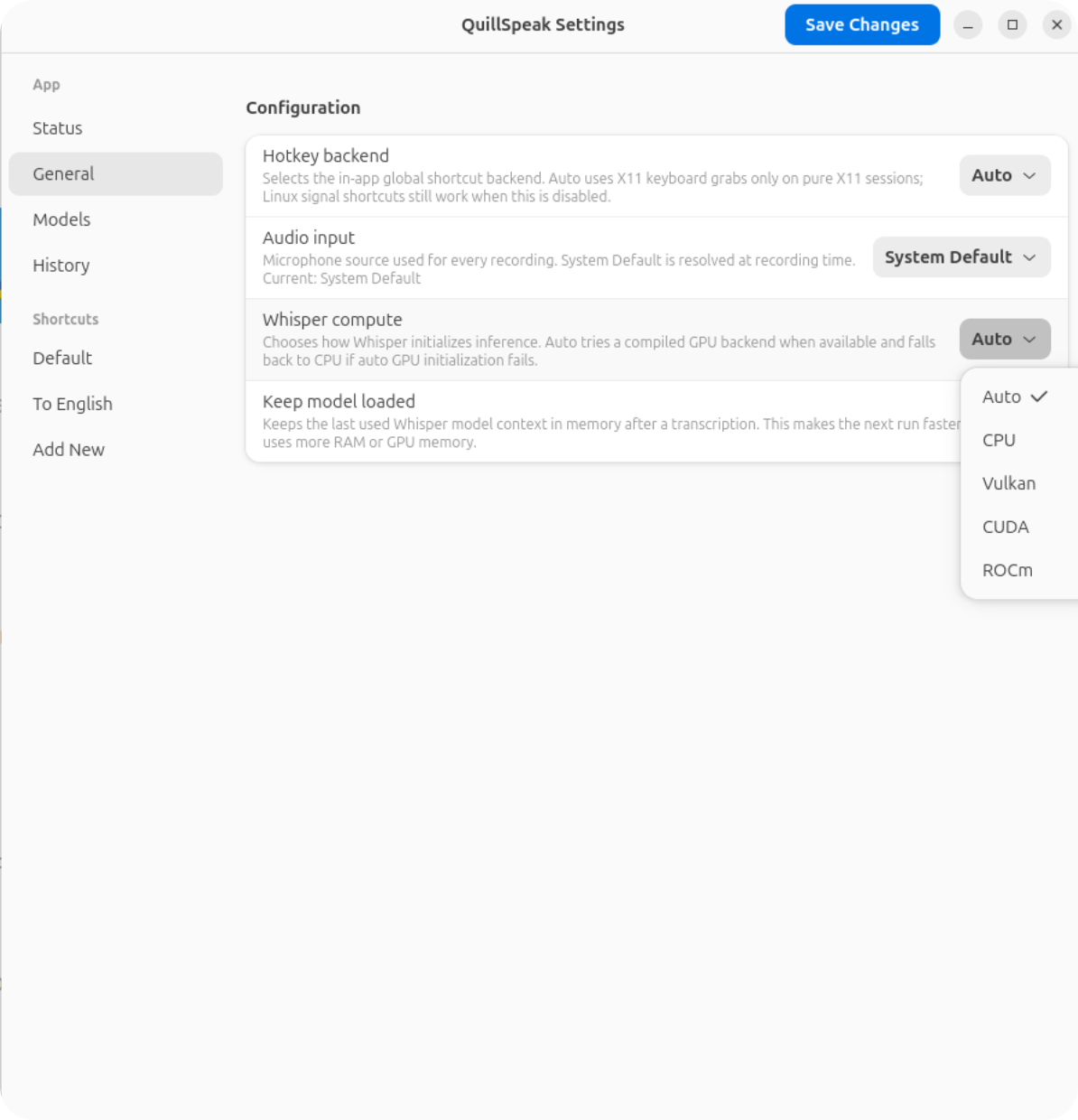
Every General, Models, History, and per-shortcut option explained.

X11 and Wayland

Triggers

Keyboard shortcuts, quillspeak trigger, swhkd, and Linux signals.

Final text

Scripts and Paste

Script transforms, clipboard verification, paste shortcuts, and translator examples.

Settings tour

What you configure in QuillSpeak

Wayland

External hotkey tools call the running app

Wayland compositors do not allow regular desktop apps to capture global keyboard shortcuts directly. QuillSpeak keeps recording logic inside the app and exposes an explicit command mode that hotkey tools can call on key down and key up.

quillspeak trigger Default start
quillspeak trigger Default stop
quillspeak trigger Default toggle

For a concrete setup, see the Triggers page.