Getting Started
Install QuillSpeak and record your first local transcript.
The app starts as a tray-first desktop process. Open Settings, install a model, configure a trigger, and then use push-to-talk from any Linux text workflow.
Install
Download the latest Debian package from GitHub Releases. Release tags build two package variants.
| Package | Use it when |
|---|---|
quillspeak |
You want the default package. It is built with the Vulkan whisper.cpp backend and falls back to CPU transcription if a Vulkan runtime is not available. |
quillspeak-cpu |
You want a simpler CPU-only package with the same GTK, shortcut, model, clipboard, script, and paste behavior. |
sudo apt install ./quillspeak_*.debIf you downloaded both variants, install only one. The CPU package conflicts with and replaces the default package.
Runtime Tools
QuillSpeak does not install or manage external desktop tools. Settings reports whether the tools needed by the current session are available.
| Feature | X11 | Wayland |
|---|---|---|
| Clipboard copy and readback | xclip |
wl-copy, wl-paste |
| Paste shortcut | xdotool |
ydotool |
| External hotkey tool | Optional | swhkd or compositor keybindings |
| Mute speakers while recording | wpctl and pw-dump, with pactl fallback |
|
sudo apt install wl-clipboard xclip xdotool ydotool
sudo apt install wireplumber pipewire-bin pulseaudio-utils
ydotool may need its own daemon and input permissions
outside QuillSpeak. The main app should never be run with
sudo.
First Run
- Start the app with
quillspeak. - Open Show Settings from the tray indicator.
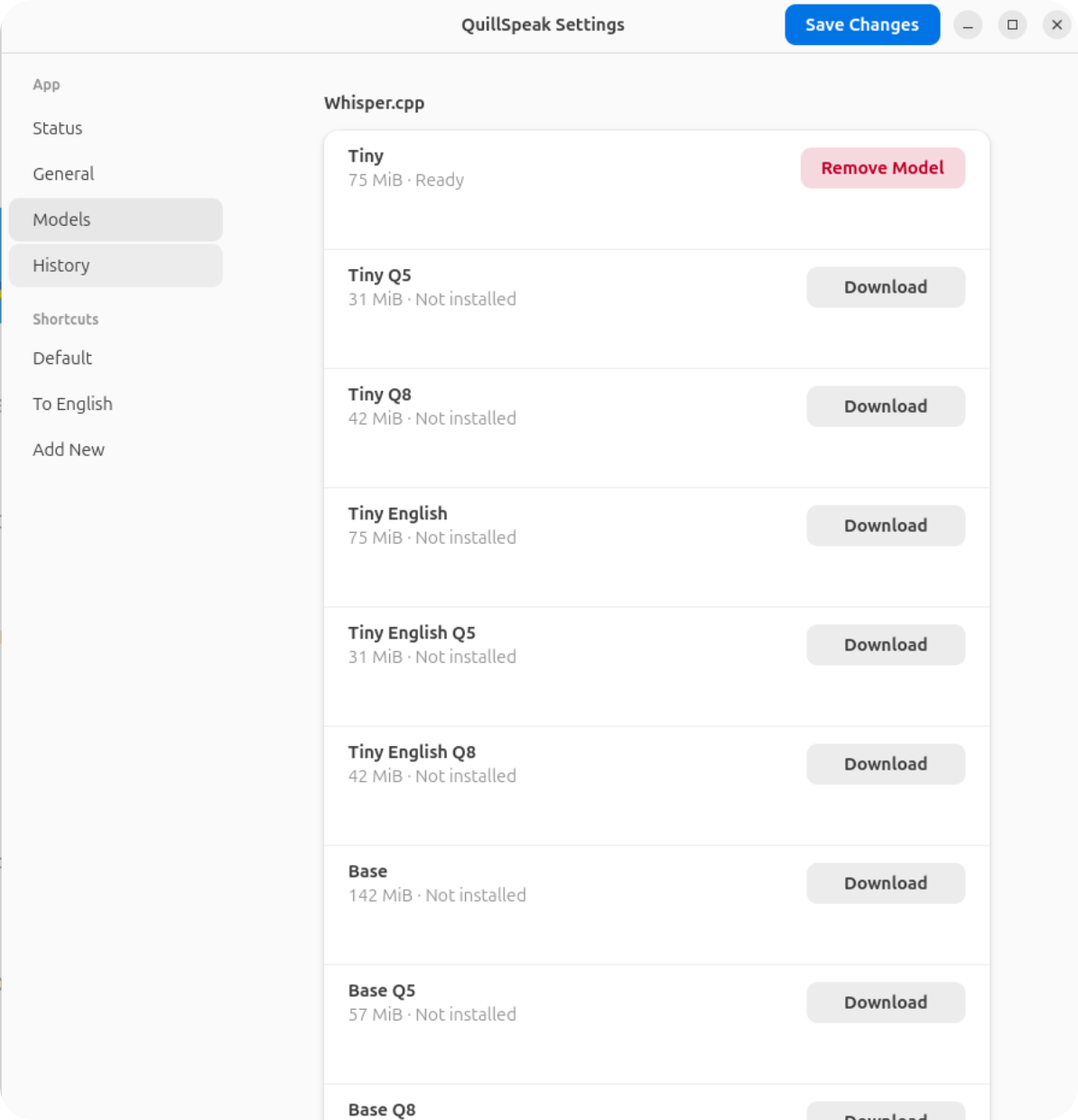
- Open Models and download at least one model.
- Open the Default shortcut page.
- Choose a trigger, model, language, and output action.
- Hold the trigger, speak, release, and wait for processing.
Tray States
- White icon: idle.
- Red icon: recording or arming.
- Orange icon: processing transcription.
The tray menu contains Show Settings, one stateful recording action, and Quit.
Choosing a Model
Each shortcut owns its model choice. Smaller models start faster and use less memory. Larger models are slower but can be more accurate. Quantized Q5 and Q8 models reduce disk and memory usage compared with full-size models.
The default model id is large-v3-turbo-q5_0. It is a
practical default for local dictation, but you can assign a small
model to a fast command shortcut and a larger model to a careful
transcription shortcut.
Files and State
- Config
~/.config/quillspeak/config.toml- Models
~/.local/share/quillspeak/models- History
~/.local/share/quillspeak/history.jsonl- Command socket
$XDG_RUNTIME_DIR/quillspeak/command.sock- Debug audio
/tmp/quillspeak-audio-debugwhenQUILLSPEAK_DEBUG_SAVE_AUDIO=1
Build From Source
Install Debian/Ubuntu build dependencies:
sudo apt install build-essential pkg-config cmake clang libclang-dev \
  libasound2-dev libpulse-dev libpipewire-0.3-dev \
  libgtk-4-dev libadwaita-1-dev
Run from the workspace:
cargo run -p quillspeak --bin quillspeakUseful development checks:
cargo fmt --all --check
cargo check --workspace
cargo test --workspace
cargo clippy --workspace --all-targets -- -D warnings
git diff --check